Power bank rental software: what the back office has to answer
A station is the part the guest sees. The part that decides whether ten stations are a business or a second job is the back office behind them: the screen that knows where every pack is, which bay stopped working, what a venue earned this month and why a settlement did not arrive.
The station is the visible half
Hardware and software are sold as one system and operated as one system. A cabinet that reports nothing turns the operator into the monitoring system: every fault is discovered by a guest, every restock is a guess, and every venue asks for a number that has to be rebuilt in a spreadsheet at the end of the month. The slot count decides how many guests can rent at once. The back office decides how many stations one person can look after.
Four questions, and what happens without an answer
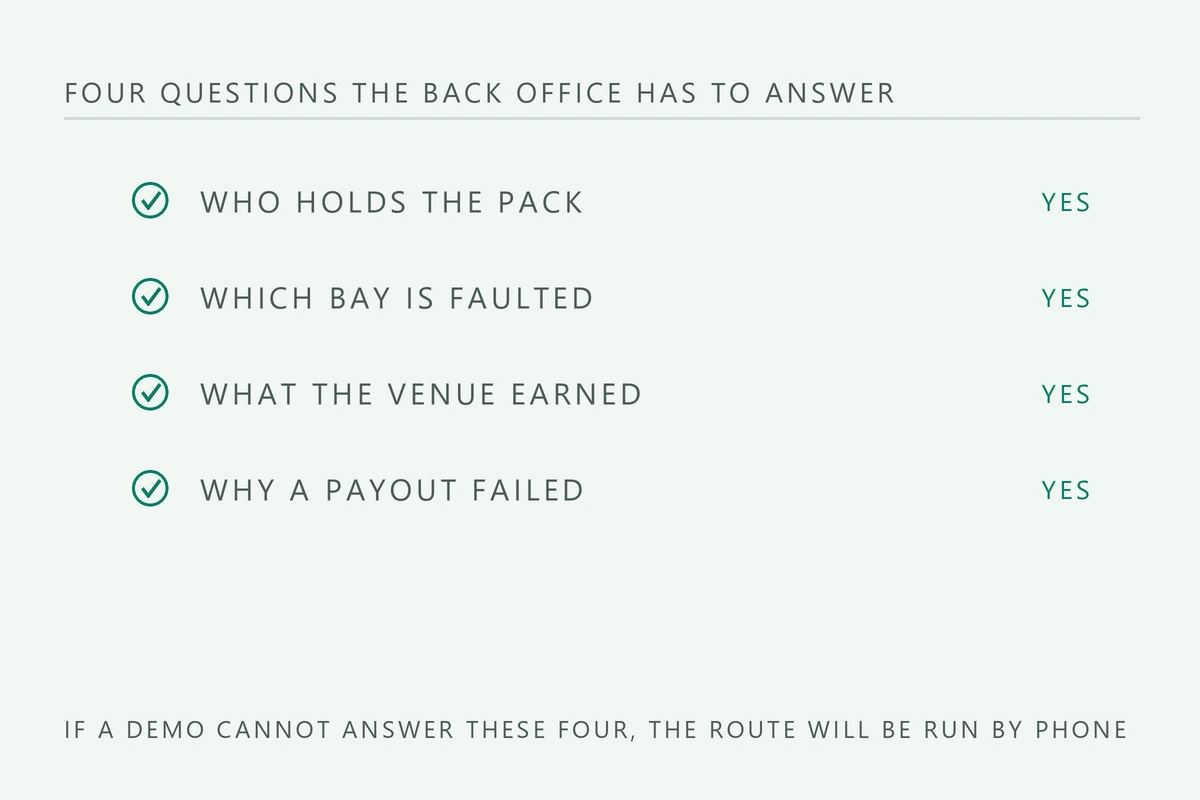
Strip the feature list away and a rental business needs four answers, every day, for every site. A demo should be judged on those four before anything else on the screen is discussed.
| Question | Where it has to be answered | What happens without it |
|---|---|---|
| Who holds each pack | Rental ledger, searchable by pack | The venue is called and asked |
| Which bay has failed | Bay state, with a timestamp | A guest reports it, days later |
| What each venue earned | Per site settlement report | Rebuilt by hand each month |
| Why a payout failed | Payment log with a reason | Refunded without knowing why |
A demo is a test, not a presentation
A presentation shows a map with dots on it. A test does five things while you watch and while somebody explains each result: it creates a rental end to end, ends that rental on a bay of a second station, refunds it, changes the tariff in the middle of a live rental, and takes one bay offline. Each action produces an answer you can write down, and the five notes are a better buying decision than an hour of slides.
- A rental taken on one cabinet and returned on another: does it close cleanly?
- A refund, then the same pack rented again: is the ledger still correct?
- A tariff change mid-rental: does the guest pay the price at the start?
- A bay forced offline: does the alert name the bay, or only the site?
- A settlement exported: does it open as a file you can keep?
Tariff changes need a trail
The tariff ladder is a live commercial decision: a base fee for the first hour, a step for each hour after it, and a daily cap that keeps a forgotten pack from turning into a debt. Those numbers move with the market and with the venue, and every change needs a record of who changed it and when. The guest side has to match: the receipt for a rental that started before the change must show the price at the start of that rental, not the new one.
The cap is where the trail pays for itself. A guest who keeps a pack for three days should hit the cap and stop, not run up a bill worth more than the pack and then abandon it. Check that the cap is a setting and not a support ticket, and that a change to it applies to new rentals only. A back office that rewrites the price of rentals already closed is a back office that cannot be used as a record in a dispute.
Settlement is half software and half bank
The back office can show what a venue earned, but it cannot create a payment rail. A card terminal belongs to an acquirer that has to board your business in your country; a QR page belongs to a provider that has to support your currency. Confirm which combination is available in your market, in writing, before the first order, because a cabinet with a terminal your acquirer will not board cannot take money at all. The software term that matters here is not the dashboard, it is the settlement report the venue will ask for.
What to ask before you sign
Put the software questions in the same document as the quotation rather than in a separate email. The four that matter are the licence model, the limit on sites and users, the offline behaviour of a bay, and the export. Everything else on the feature list is a variation of those, and a vendor who answers all four in writing has told you how the route will be run in year three.
- The licence model in writing: one payment, a subscription, or a share of the take.
- How many sites and how many users the licence covers, and what an extra site costs.
- What a station does offline, because a bay still has to release a pack when the network drops.
- Whether the rental history can be exported in a format you can open without the vendor.
- What happens to the data and the licence if you change supplier or add a second format.
The licence is a contract, not a feature. Ask for the terms in the same document as the quotation, and read the part about what happens when the subscription lapses, because that is the day the stations stop being yours to operate.
Updated 2026-10-24 路 4 min read. Specifications and tariffs change without notice; confirm the current sheet before you publish a business plan or a tender document.
Builds this guide applies to
The second level build pages where these decisions turn into a specification.
Questions that come back
Short answers, before the email.
Is the software included with the station?
It is quoted with the station, but the terms are separate: a licence, a subscription or a share of the take are three different contracts. Ask which one applies before comparing prices for the same cabinet.
Can I run stations from two suppliers on one dashboard?
Sometimes, and it is worth asking before a second order. If the two systems do not share a ledger, a pack taken from one cabinet cannot be returned to the other, which costs the return network that makes a route work.
What should the venue be able to see?
A per site report of rentals and the revenue share, on a schedule you both agreed. A venue that cannot see the numbers will assume the worst, and a dashboard login is cheaper than a monthly argument.
Send the venue, get the configuration.
Build, slot count and the specification sheet for each line item, in one reply.